Portfolio

Custom software in the wildScreenshots and representative engineering

Three spotlight deliveries—client-sanctioned product screens plus an illustrative release pipeline—each block below is its own context, not one long case study.

Portfolio disclaimer

Screenshots appear only with client approval. Where real captures would expose sensitive operational detail, HartApps may show clearly labeled illustrative diagrams of engineering work it created. Each block is a distinct delivery—not a single combined product. Nothing here is a promise of third-party rankings or metrics HartApps cannot verify.

Spotlight deliveries

I of III

Internal platform

HSIS — Bible school administration dashboard

Education · role-based operations

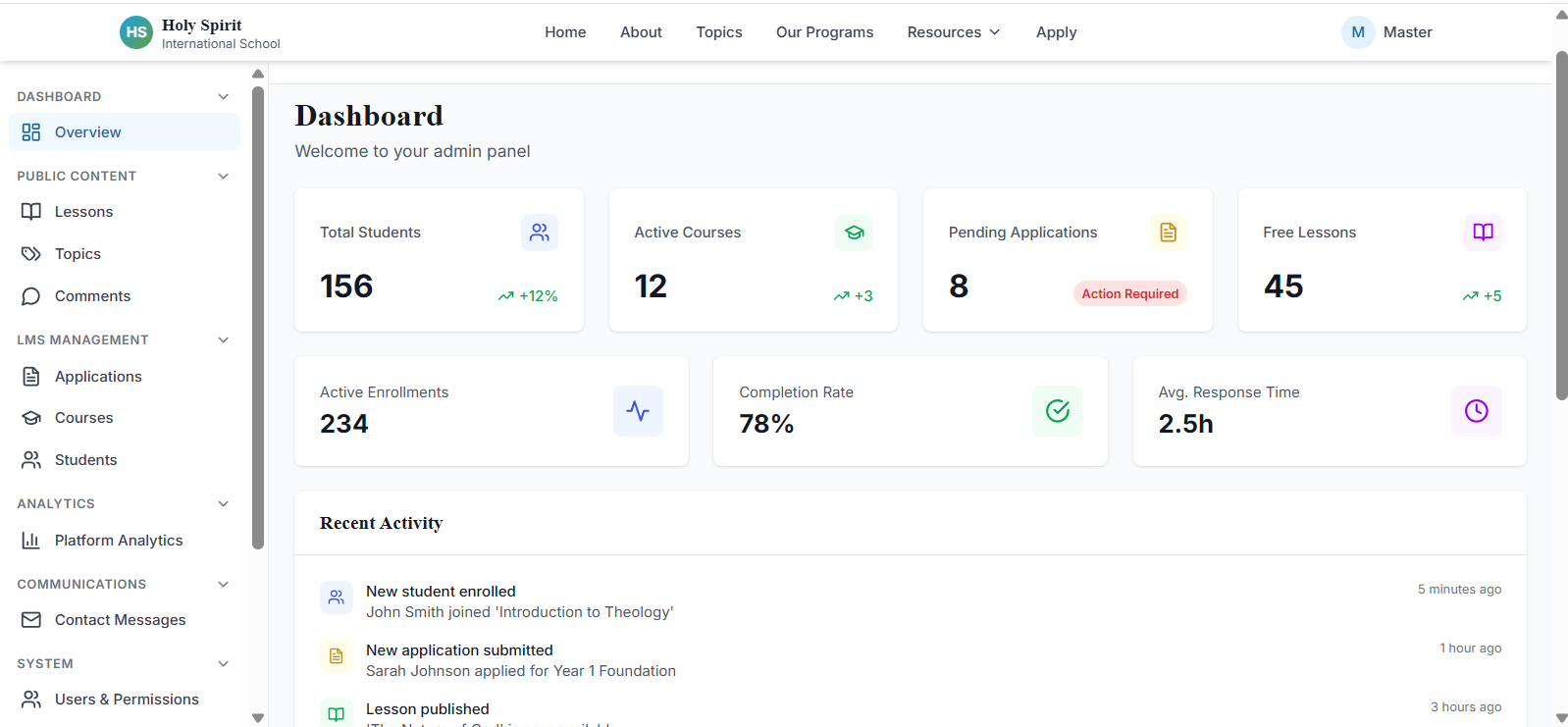
Screenshot of the HSIS admin dashboard showing course and student management for a bible school.

Screenshot shared with permission · UI details may evolve in production

Internal platform

HSIS — Bible school administration dashboard

Education · role-based operations

A production-style operations dashboard for a bible school: one surface where trusted staff run the school—courses, students, faculty, communications, and account governance—without everyone seeing everything.

The interface is organized around day-to-day administration: academic structure, enrollment and people records, outbound email using reusable templates, and user lifecycle with fine-grained permissions.

This page is representative of the kind of internal systems HartApps builds when operations outgrow spreadsheets and shared inboxes.

Role-based access

The product is fully role-based. Master administrators keep full visibility across the organization; professors and other roles are scoped to what they need—for example, faculty can focus on course content and delivery without touching school-wide settings they should not see.

Highlights

  • Courses, programs, and academic catalog workflows
  • Students and faculty records in one permissioned workspace
  • Email campaigns and school-wide notices with templates
  • User accounts, roles, and access boundaries
Discuss a similar internal system

II of III

Internal platform

CRM & project pipeline portal

CRM · delivery · client communications

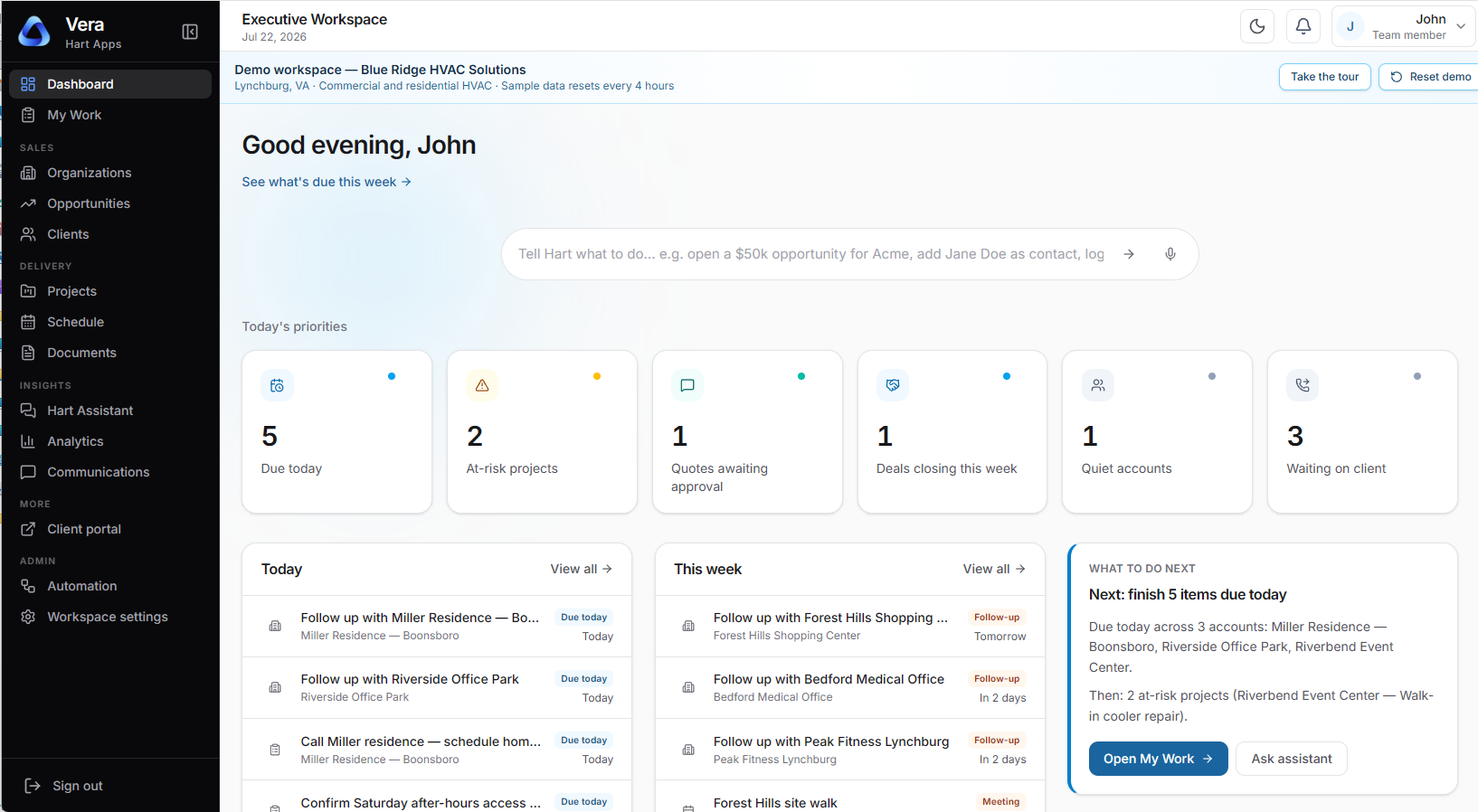
Screenshot of a CRM operations dashboard showing projects, leads, client communications, and a Gantt-style timeline.

Screenshot shared with permission · UI details may evolve in production

Internal platform

CRM & project pipeline portal

CRM · delivery · client communications

A unified CRM-style portal so the company can run projects, leads, and client conversations from one professional surface—instead of splitting context across email threads, spreadsheets, and disconnected apps.

The dashboard is built around what is happening next: active work, pipeline stages, and upcoming milestones stay visible so teams always know what to pick up without a separate status meeting.

Gantt-style planning and project views sit alongside lead tracking and client touchpoints, giving leadership a clear picture of delivery and revenue motion in one place.

Role-based access

Access can be aligned to how the organization actually works—sales sees pipeline and handoffs, delivery sees schedules and tasks, and leadership sees rollups without everyone inheriting the same screens. Permissions keep sensitive client detail scoped to the roles that need it.

Highlights

  • Projects, tasks, and delivery milestones in one workspace
  • Leads and opportunities with follow-up context
  • Client communications tied to accounts and projects
  • Gantt chart and timeline views for what is coming next
  • Dashboard-first layout so upcoming work is obvious at a glance
Discuss a similar internal system

III of III

Engineered delivery workflow

Enterprise release automation pipeline

Enterprise web operations · release automation · Next.js

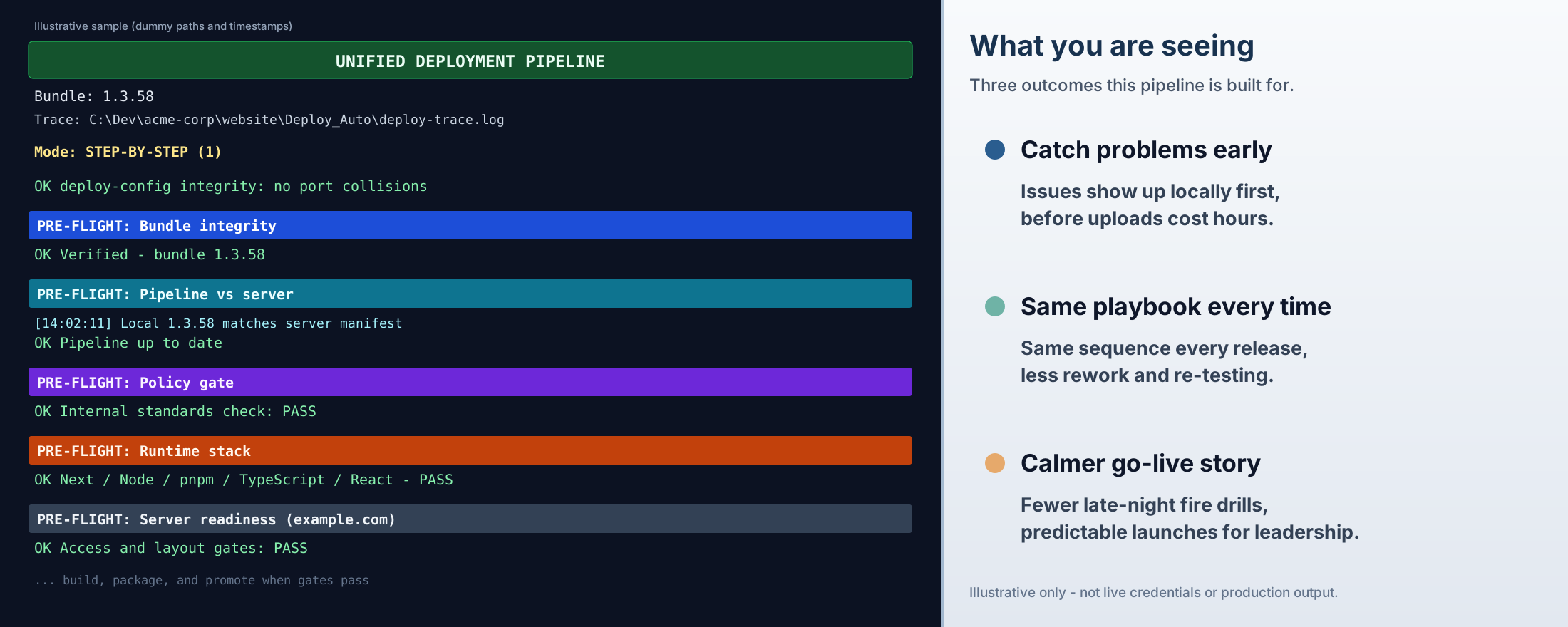
Illustrative split image: left side shows a colorful abbreviated deployment console with pre-flight blocks; right side lists three business outcomes in large type.

Illustrative split layout with dummy data — same idea as the live pipeline, not a capture of real credentials or production output.

Engineered delivery workflow

Enterprise release automation pipeline

Enterprise web operations · release automation · Next.js

HartApps built a unified release automation pipeline for production websites: one guided flow that checks the bundle, the server, internal standards, the runtime stack, and readiness before heavy upload work—so going live is a managed event, not a leap of faith.

Engineering teams get fewer "it worked on my machine" disasters and a calmer on-call rhythm. Finance and the executive suite get fewer emergency spend spikes from rollbacks, and a clearer answer when someone asks how a public site was promoted.

This is the kind of delivery discipline HartApps implements alongside enterprise websites and managed hosting when clients have outgrown ad-hoc deploy habits.

Less time fighting deploys, more time shipping value

Automated gates and a fixed sequence cut the hours lost to failed uploads, rollbacks, and re-work. Teams spend less calendar time on release mechanics, executives see fewer emergency budget hits, and go-live stops eating weekends.

Highlights

  • Early signal: problems surface before long uploads or customer-visible failures
  • Repeatability: the same named checks run in the same order every release
  • Executive comfort: predictable go-live posture instead of surprise downtime stories
Discuss release automation with HartApps