Service 02 of 05
Workflow Automation
Systems
Manual workflows - spreadsheets, email chains, and chat threads standing in for a system - are one of the most common and costly problems in growing organizations. Every hour spent chasing approvals or sending status updates is an hour not spent on actual work.
Hart Apps builds automation systems that handle the repetitive, process-driven work automatically - so teams focus on decisions, not logistics.
What gets built
Problems this solves
Real scenarios. These are the kinds of problems that prompt organizations to reach out.
The problem
New client onboarding takes two weeks because it touches six people and nobody knows where it is in the process.
What Hart Apps builds
An automated onboarding pipeline: intake form triggers task assignments, sends reminders at each stage, and surfaces a live status view to all stakeholders.
The problem
Scheduling happens over email, double-bookings happen weekly, and confirmations go out late.
What Hart Apps builds
A scheduling system with live availability, automatic conflict detection, confirmation emails, and reminder sequences - no human intervention required.
The problem
Expense approvals go to one manager who is a bottleneck, and approved items get lost before reaching accounting.
What Hart Apps builds
A tiered approval system: items route to the right approver based on type and amount, escalate automatically if not acted on, and hand off to accounting the moment they are approved.
Concept diagrams
Illustrative SVG patterns — not screenshots of a named client build. They show typical automation shapes (intake, scheduling, approvals) Hart Apps engineers toward.
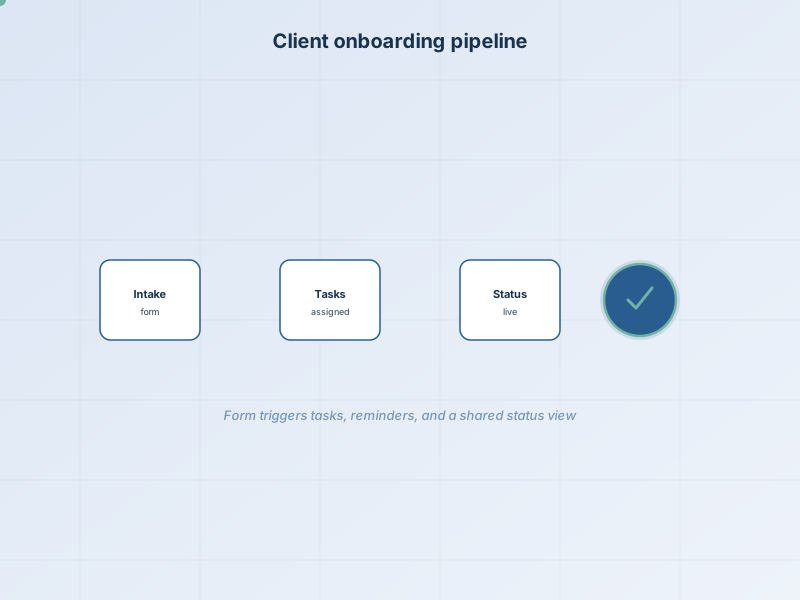
Client onboarding pipeline
Intake form, automatic task routing, staged reminders, and a single status view so everyone knows where the process stands.
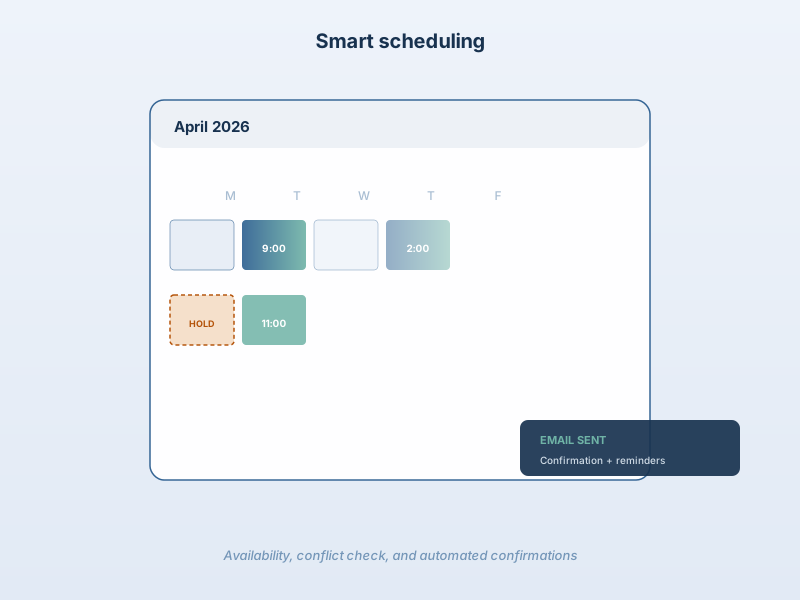
Smart scheduling + confirmations
Live availability, conflict detection, booking holds, and automated email sequences for confirmation and reminders.
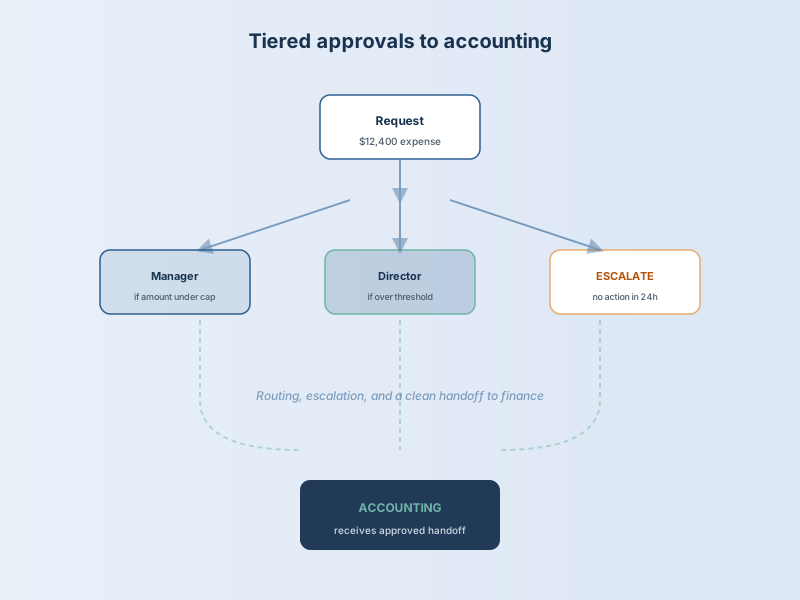
Tiered expense approvals
Route by amount and type, automatic escalation when reviews stall, and a direct handoff to accounting when approved.
Investment
$6,000 – $25,000
Cost depends on the number of workflow stages, conditional logic, notification channels, and integration touchpoints involved. A single-process automation with email notifications is at the lower end; a multi-process system with CRM integration and tiered approvals sits higher.
Pricing is always scoped per project — not packaged.
Book a Discovery Call