Service 3 of 6
System Integrations
Stop typing the same information into three different systems.
Fewer hours lost to double-entry, fewer embarrassing mismatches, and one trusted picture of what is happening across tools.
Flow patterns, capabilities, and ballpark pricing below.
Does this sound familiar?
If several of these hit home, connecting your tools is worth a scoped conversation.
Your situation
- ?Sales closes a deal in the CRM and someone re-enters it in billing and project tools
- ?New hires get entered in HR but payroll and IT still need separate manual steps
- ?Inventory and orders live in different places — someone reconciles by hand every week
What we build
- ✓Defined data flows between the systems you already pay for
- ✓Automatic updates when key events happen (new deal, new hire, order placed)
- ✓Alerts and logs when a sync fails so issues do not hide for weeks
The payoff
Fewer hours lost to double-entry, fewer embarrassing mismatches, and one trusted picture of what is happening across tools.
Best for: Businesses running CRM, accounting, HR, inventory, or ops tools that need to stay aligned.
How connections look
Your tools, one story
Illustrative flow patterns — not a screenshot of your stack. We design the real map on discovery.
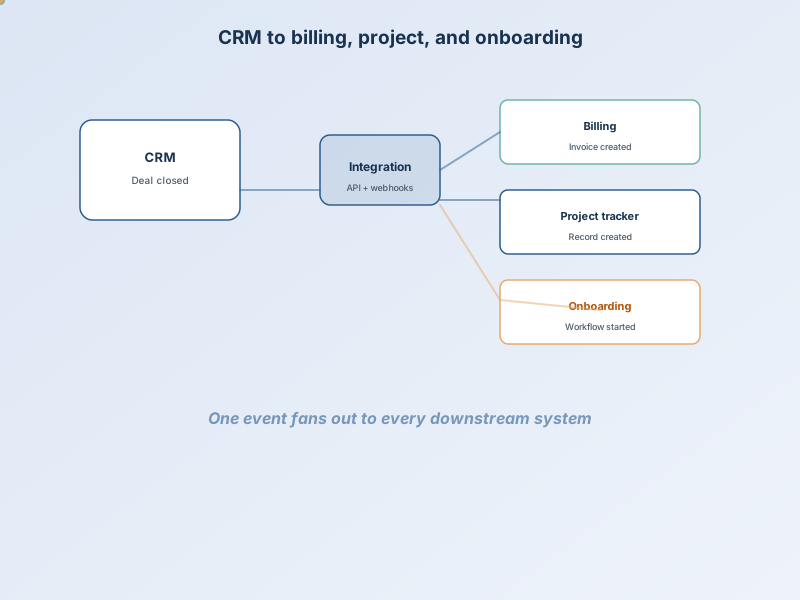
CRM to billing, project, and onboarding
Deal closed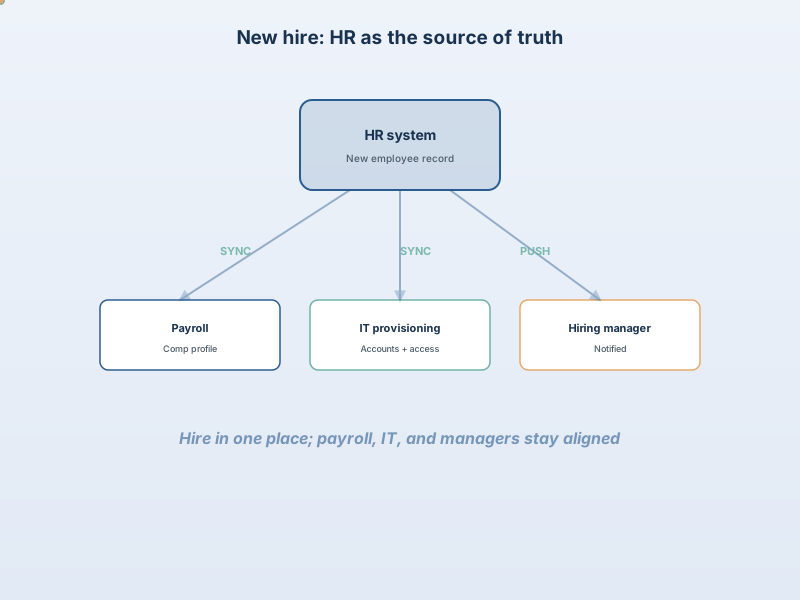
New hire: HR to payroll, IT, and manager
People ops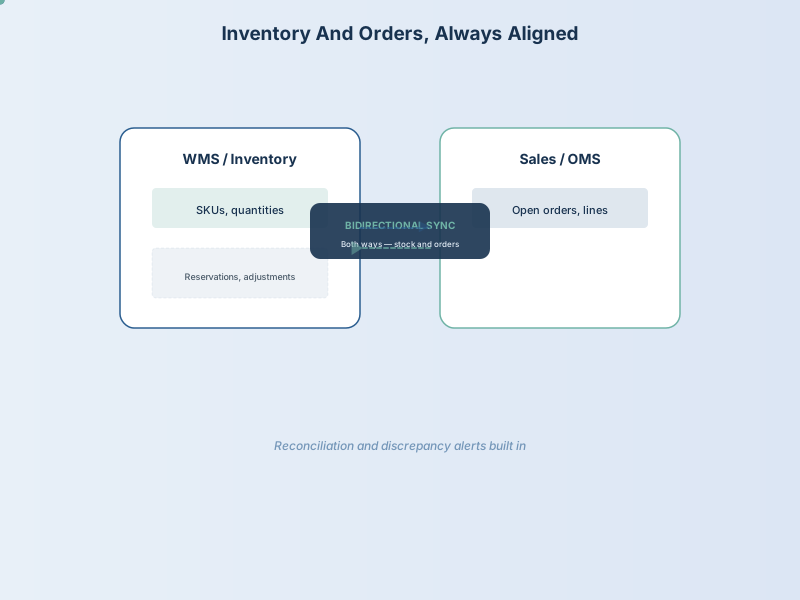
Inventory and orders in sync
Operations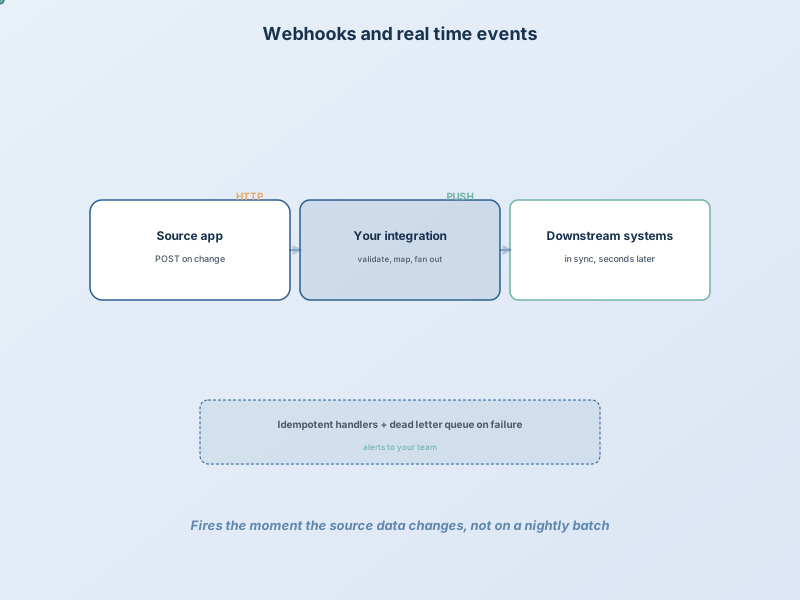
Webhooks and real-time events
Event-drivenBuilt for your stack
When a deal closes, everyone downstream should already know
The hub pattern is common: one system of record triggers billing, projects, onboarding, or notifications — without someone re-typing the same customer twice.
See the portfolio →What a solid integration does in three beats
01
Something changes
A deal closes, a hire is approved, or an order ships — in the system your team already uses.
02
Integration does the work
Maps fields, validates data, and routes the event — with logs when something does not match.
03
Everyone stays aligned
Billing, payroll, inventory, or project tools update. Your team gets alerted only when attention is needed.
What we can build for you
Most engagements combine connection, reliable sync, and monitoring.
Connect the tools you already pay for
- CRM integrations (Salesforce, HubSpot, Zoho, and others)
- HR and payroll platform connections (ADP, BambooHR, etc.)
- ERP, inventory, and order management sync
- Custom APIs when a vendor exposes webhooks or REST
Data that moves reliably
- Webhook-based real-time handling when the business needs it
- Scheduled jobs when near-real-time is enough
- Field mapping, validation, and normalization between schemas
- Retries and dead-letter handling so failures are visible
Visibility your team can trust
- Monitoring dashboards for integration health
- Alerts when a sync fails — not silent drift for weeks
- Documentation: what fires when, and who owns credentials
- Handoff so your team knows how to watch flows after launch
What it costs
A straightforward two-system connection with simple field mapping sits toward the lower end. Several systems, complex rules, historical data migration, or strict compliance needs move toward the upper end. Scoped in writing after discovery.
Each tier shows what's included — tap a card to flip and see optional add-ons.
Add-ons that increase scope
Common questions
Do we have to replace our current software?
Usually no. Integrations connect what you already use. We map fields, handle edge cases, and document what syncs when — then test before go-live.
What systems can you connect?
Common pairs include CRMs (Salesforce, HubSpot, Zoho), accounting tools, HR/payroll platforms, inventory, and custom databases. If a system offers an API or export path, we can evaluate it on a discovery call.
Real-time or scheduled sync?
Depends on the need. Webhooks and event-driven flows update within seconds. Nightly batch jobs work when near-real-time is not required. We recommend what fits the business process, not what is trendy.
What happens when an integration fails?
Built-in error handling, retries where appropriate, and notifications to your team. You get visibility — silent failures are not acceptable for production integrations.
How long does a typical integration take?
A focused two-system project often lands in roughly 4–8 weeks. Broader multi-system work can run 10–14 weeks depending on mapping complexity and how fast decisions and test feedback move.
How does access and maintenance work after launch?
Hosting, credentials, and who maintains the integration are defined in your agreement. We document how to monitor flows and who to call when something changes in a connected system.
Often paired with this
Most engagements combine two or more services.
Ready to scope your integrations?
List the systems you use on Let's Build — or talk through the flows on a short call.