Service 1 of 6
Internal Systems
& Dashboards
Stop copying data between spreadsheets, email, and five apps.
Hours back every week for managers, fewer mistakes, and one trusted place to run the operation.
Diagrams, capabilities, and ballpark pricing below.
Does this sound familiar?
If several of these hit home, a private operations portal is worth scoping.
Your situation
- ?You export numbers from QuickBooks, a CRM, and spreadsheets every week just to get one report
- ?Requests get lost in email and nobody knows what is approved or pending
- ?People see data they should not — or cannot see what they need for their job
What we build
- ✓A login portal only your staff use (not public-facing)
- ✓Live numbers and statuses instead of stale spreadsheets
- ✓Clear rules for who sees and approves what
The payoff
Hours back every week for managers, fewer mistakes, and one trusted place to run the operation.
Best for: Growing companies (often 10–100+ people) outgrowing spreadsheets and inbox workflows.
What it can look like
Illustrative patterns — your portal is designed around your workflow on discovery.
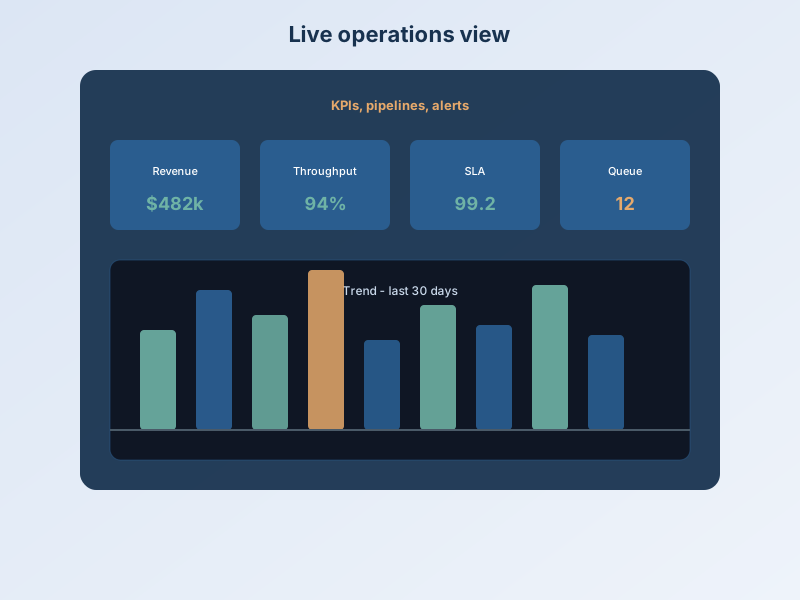
Unified operations dashboard
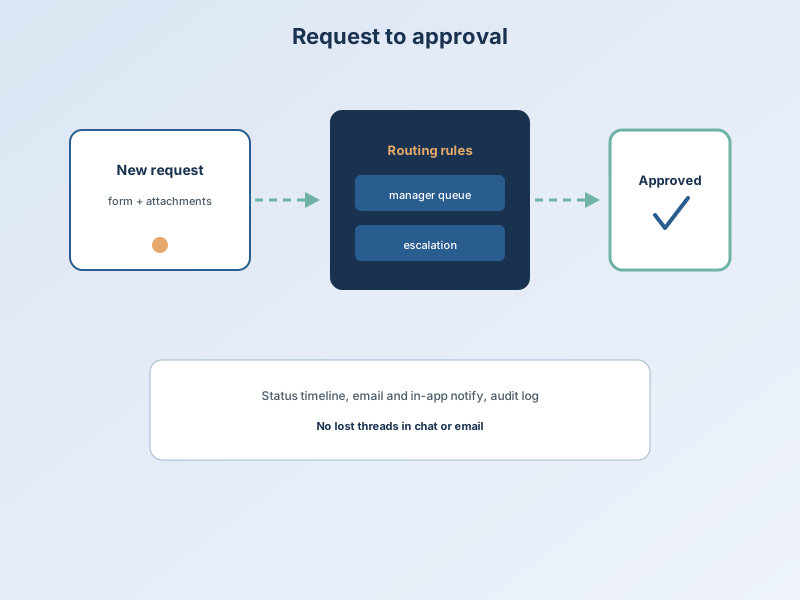
Request portal with approvals
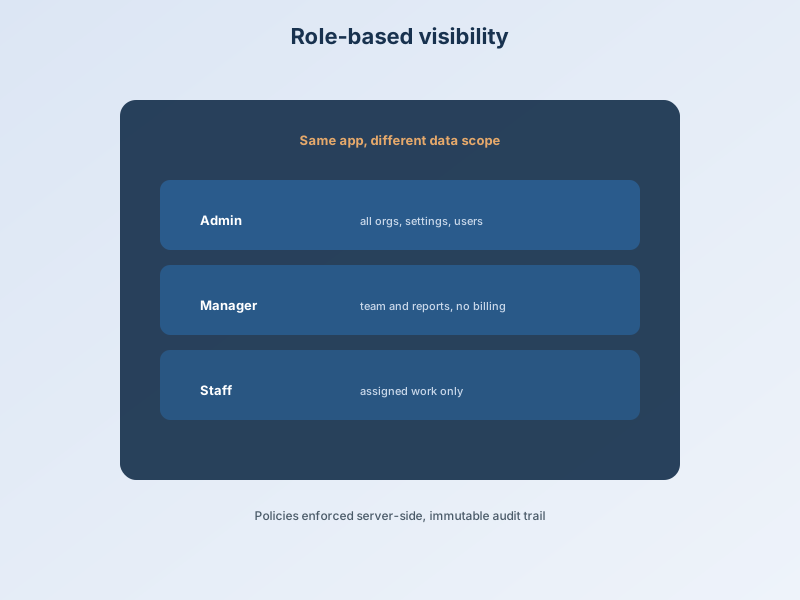
Who sees what
What a solid internal system does in three beats
01
Data comes together
Numbers and statuses from the tools you already use — not another Monday spreadsheet.
02
Work moves visibly
Requests, approvals, and handoffs happen in one place with a clear trail.
03
Leaders decide faster
Managers see what matters and act — without chasing email for updates.
What we can build for you
Visibility leadership needs
- Live KPIs, pipelines, and alerts in one screen
- Dashboards fed from systems you already use
- Export to PDF or Excel and scheduled email reports
- Works on phones and tablets for field staff
Workflows that stop inbox chaos
- Request and approval flows (time off, purchases, onboarding)
- Notifications when something needs action
- Activity history — who changed what and when
- Document upload where the process needs files
Control and connections
- Each role sees only what their job requires
- Secure staff login — not public-facing
- Connections to CRM, accounting, or scheduling tools
- Phased rollout: start small, expand later
What it costs
A single-team dashboard with a few data feeds is toward the lower end. Multiple departments, approvals, integrations, and compliance logging move toward the upper end. Scope is always defined in writing after discovery.
Each tier shows what's included — tap a card to flip and see optional add-ons.
Add-ons that increase scope
This may not be the right fit if…
- You only need a marketing website (see Websites)
- A single off-the-shelf SaaS already fits 95% of your process with no customization
Common questions
Is this like buying Salesforce or an ERP?
Those products are built for the average company. Hart Apps builds for your process — often smaller in scope than a full ERP rollout, but far more fitting than forcing your team into generic screens.
Do we have to replace our current software?
Usually no. We connect to what you have and replace only the manual glue (spreadsheets, inbox chasing) around it.
Who can log in?
Only people you invite — employees, contractors, or partners you assign a role. It is not visible to the public.
How long until my team can use it?
Many builds land in roughly 6–16 weeks depending on screens, integrations, and how fast decisions and test feedback move.
What if we only need something small first?
We can phase: start with one dashboard or one approval flow, then expand. Discovery defines a sensible first release.
Do we own it?
Yes. You own the application built for you. Licensing and hosting terms are spelled out in your agreement.
Often paired with this
Most engagements combine two or more services.
Ready to scope your portal?
Use Let's Build for a live ballpark from our pricing model — or talk through workflows on a short call.